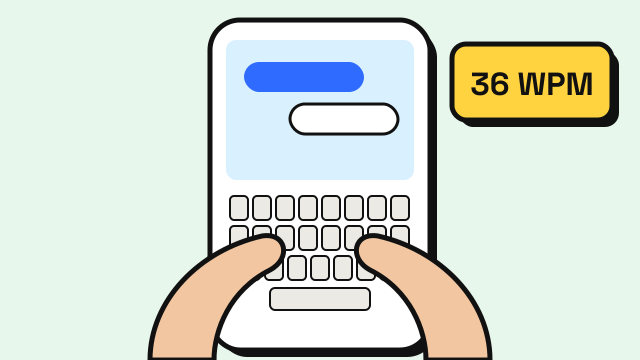
The average typing speed on a phone is lower than on a physical keyboard for most people. Commonly cited figures put typical smartphone typing somewhere in the 30s WPM, while many adults type in the 40s on a computer keyboard. One of the larger public studies of mobile typing, run by researchers at Aalto University and published in 2019 with data from tens of thousands of volunteers, reported an average of 36.2 words per minute on phones, with 2.3% of errors left uncorrected (Palin et al., MobileHCI 2019). About three in four participants typed with both thumbs, which the study found to be clearly faster than one thumb or one finger. Your own number depends heavily on how you hold the phone, which fingers you use and whether you lean on autocorrect.
This guide covers typical phone typing speeds, why touchscreens are slower, how to measure your speed fairly, and what actually helps.
Average typing speed on phone: typical ranges
The ranges below are rough, commonly used bands for typing on a touchscreen keyboard. They are a guide, not a scientific scale.
| Phone WPM | What it usually looks like |
|---|---|
| Under 20 | One finger, looking for each letter, frequent corrections |
| 20–30 | Comfortable for short messages, often one thumb or one finger |
| 30–40 | Typical two-thumb typing for everyday messaging |
| 40–50 | Fast, confident two-thumb typing with few pauses |
| 50+ | Very fast; often experienced typists who rely on muscle memory |
For comparison, the typical ranges for a physical keyboard are covered in average typing speed. Most people who type fast on a computer are also above average on a phone, but the gap between the two can be large.
Why phone typing is slower
No physical keys. On a real keyboard you feel the edges of keys and the bumps on F and J. On glass, you rely on sight, so your eyes keep checking the keyboard instead of the text.
Two thumbs instead of ten fingers. Each thumb covers half the keyboard, so every letter needs a bigger movement than on a physical keyboard where each finger has a short reach.
Small targets. Phone keys are narrow. Near misses land on neighboring letters, especially on the top row and at the edges.
Switching layers. Numbers and punctuation live on a second or third keyboard layer. Every switch costs a tap and a moment of attention.
Posture. Walking, holding the phone with one hand, or typing on a bumpy commute all lower accuracy.
Autocorrect: help or hindrance?
In everyday use, autocorrect and word suggestions often make phone typing faster, because they quietly fix near misses and complete common words. That's great for messages, but it also hides how accurately you actually type.
A typing test needs to measure your real keystrokes, so the mobile typing test on this site turns autocorrect off in the test box. Expect your score there to be lower than it "feels" in a messaging app. That's the honest number, and it's the one worth improving, because cleaner input means autocorrect has less to fix.
How to measure your phone typing speed
- Use a test made for touchscreens. A test designed for desktop may not open the keyboard or handle mobile input well.
- Keep your records separate. Phone and keyboard speeds are different skills. On EnjoyTyping, mobile results are saved separately from keyboard results, so one doesn't distort the other.
- Test in a consistent position. Sitting, phone in both hands, same app. Changing the setup changes the result.
- Run a few tests. A single short test can be swayed by a lucky or awkward word list. Look at your typical score over several runs.
How to type faster on your phone
Use two thumbs
If you type with one finger, switching to two thumbs is usually the biggest single improvement. Hold the phone in both hands, with the bottom resting on your fingers, and let each thumb handle its own half of the keyboard. It feels clumsy for a few days.
Keep your eyes on the text
As with touch typing on a keyboard, looking at the keys slows you down. Try to glance at the text field and let your thumbs find familiar letters on their own. Accuracy will dip before it improves.
Try a slightly larger keyboard
Many phones let you change keyboard height or turn off one-handed mode. A little more space per key can reduce near misses. Some keyboards also offer a landscape layout, which gives wider keys.
Learn your keyboard's shortcuts
Most phone keyboards support shortcuts such as double-tapping the space bar to add a period, or long-pressing a key for a symbol. Each one saves a layer switch.
Consider swipe typing for messages
Gesture or swipe typing, where you slide across letters instead of tapping them, can be quick for common words. It isn't what a typing test measures, but it can be a good option in daily use.
Practice in short bursts
A couple of minutes of focused practice a day is enough to notice change over a few weeks. Accuracy first, then speed.
Frequently asked questions
What is a good typing speed on a phone?
Around 30–40 WPM is a common everyday range for two-thumb typists. Anything above 40 WPM on a touchscreen is fast, especially with autocorrect turned off.
Is typing on a phone faster than on a keyboard?
For most people, no. A physical keyboard lets you use more fingers and feel the keys, so keyboard speeds are usually higher. Some people who rarely use a computer can be faster on their phone, though.
Does autocorrect count in a mobile typing test?
It shouldn't, because it changes what you typed. The EnjoyTyping mobile test disables autocorrect in the input box so the result reflects your own keystrokes.
Will learning touch typing help my phone typing?
Only indirectly. Phone typing relies on thumbs, not ten fingers. Knowing the QWERTY layout well helps you find letters faster on either device, but each skill needs its own practice. If you want to work on the keyboard side, see 10 finger typing for beginners.
Sources
- Palin, K., Feit, A. M., Kim, S., Kristensson, P. O. and Oulasvirta, A. (2019). How do People Type on Mobile Devices? Observations from a Study with 37,000 Volunteers. Proceedings of MobileHCI 2019.
- Dhakal, V., Feit, A. M., Kristensson, P. O. and Oulasvirta, A. (2018). Observations on Typing from 136 Million Keystrokes. Proceedings of the 2018 CHI Conference on Human Factors in Computing Systems.