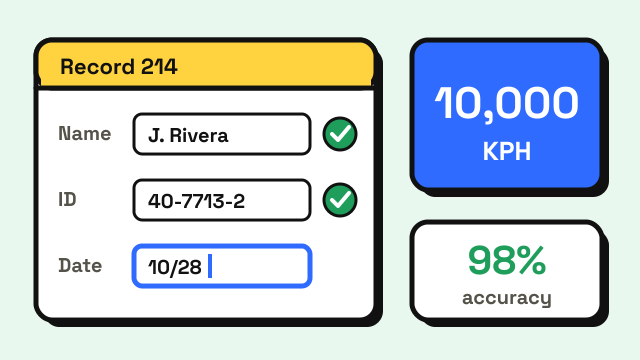
A data entry typing test measures how quickly and accurately you can key information such as names, numbers, codes and addresses, and the score is usually given in keystrokes per hour (KPH) rather than words per minute. Published requirements commonly fall between about 5,000 and 10,000 KPH, which is roughly 17 to 33 WPM. Speed alone rarely passes, though: most tests also set an accuracy floor or an error limit, and private employers often ask for 95% accuracy or higher. This guide shows what real employers require, what the tests look like and how to practice so you clear the bar on the first try.
What is a data entry typing test?
It is a timed skills test that copies the work you would do on the job. Instead of retyping a paragraph of prose, you usually key short records into fields: a customer name, an account number, a date, a postcode, an amount. Some tests show the source on one side of the screen and the form on the other. Others hand you a printed sheet to copy from.
Testing publishers sell several versions. SHL's catalog, for example, lists an alphanumeric onscreen test where candidates type into a simulated database and the report gives speed in keystrokes per hour along with accuracy, plus numeric-only and split-screen versions with time limits of about five minutes. Employers choose the version that fits the role, so a payroll clerk and a mailroom data entry operator can sit very different tests.
What speed and accuracy do data entry jobs ask for?
There is no single standard. Each employer sets its own number, and the units vary: keystrokes per hour, keystrokes per minute or words per minute. Here are requirements stated in published postings:
| Employer and role | Stated requirement |
|---|---|
| U.S. Census Bureau, Statistical Clerk (Data Transcriber) | 5,400 keystrokes per hour or 25 WPM, with 3 or fewer errors on a five-minute sample |
| City of Camden, New Jersey, Data Entry Operator 1 | 97 net keystrokes per minute (about 5,800 per hour) on a test of words, numbers and symbols |
| City of Windsor (Canada), Data Entry Operator | 6,000 keystrokes per hour with 60% minimum accuracy |
| Victorian Electoral Commission (Australia), data entry operator | Ideally 7,000–10,000 keystrokes per hour, and able to pass a numeric keyboard test if required |
Typing-test vendors and staffing agencies commonly cite 8,000 to 10,000 KPH as a typical entry-level target, with private postings often pairing it with 95–98% accuracy. Treat those as a commonly cited range rather than a rule, and always check the posting for the job you want.
If you need help converting between units, our guide to KPH to WPM has a full table. The short version: divide KPH by 300 to get WPM, or multiply keystrokes per minute by 60 to get KPH.
How is a data entry test scored?
Three numbers usually appear on the result:
- Speed. Most often keystrokes per hour. Some tests count only correct keystrokes (a net figure, like Camden's), while others count every press.
- Accuracy. Either a percentage of correct keystrokes, a percentage of correct fields, or a maximum number of errors, like the Census Bureau's "3 or fewer errors".
- Test length. Five minutes is common, because a short burst can flatter a fast but careless typist.
Field accuracy can be harsher than keystroke accuracy. If one digit in a ten-digit account number is wrong, the whole field is wrong, even though 90% of the keystrokes were right. That is why careful operators slow down slightly on long numbers instead of fixing errors afterwards.
Alpha, numeric or 10-key: which test will you take?
The type of test changes your score more than almost anything else, so ask the employer which one you will sit.
| Test type | What you type | Main skill |
|---|---|---|
| Alphabetic | Names, words, short phrases | Ordinary touch typing |
| Alphanumeric | Mixed records: names, addresses, codes, dates | Switching between letters, digits and Shift |
| Numeric (10-key) | Amounts, IDs, phone numbers on the numeric keypad | Keypad touch typing with the right hand |
| Split screen or form | Copying from a source panel or sheet into fields | Reading ahead, Tab between fields |
Most people are slowest on alphanumeric data, because every switch between letters and the number row breaks their rhythm. If the test is numeric, a keypad is usually faster than the number row once you have learned it. Our guide on how to type numbers faster covers both the number row and 10-key technique.
How do you practice for a data entry typing test?
A two-to-three-week plan works for most people who already type every day:
- Measure your starting point. Take the 5 minute typing test twice and note the keystrokes per hour, raw WPM and accuracy it reports. A 3 minute typing test is a good shorter check during the week. If the job uses a numeric keypad, also take the 10 key typing test, which reports net KPH on numbers and amounts.
- Push accuracy to 97% or higher first. Data entry tests punish errors more than slow speed. If you are below that, read how to improve typing accuracy and slow down until the errors stop.
- Drill digits and symbols. Work through Course 5: Numbers & Symbols in our typing lessons. Dates, slashes, dashes and the @ sign appear in almost every record.
- Stop looking at the keys. Your eyes need to stay on the source data. Glancing down is the main reason people lose their place. How to stop looking at the keyboard has a step-by-step method.
- Practice real-looking records. Copy rows from an old spreadsheet or a printed form into a blank sheet, using Tab to move between fields. Time yourself for five minutes and count the fields you got completely right.
- Add pressure. The Typing Challenge speeds up as you go, which helps you keep accuracy when you feel rushed.
If you are far from the target, the 30-day typing practice plan for adults gives a longer structure. For a wider look at typing requirements by role, see typing speed for jobs and typing jobs from home.
What should you do on test day?
- Ask what is being tested. Alphabetic, alphanumeric or numeric, and whether errors are subtracted.
- Check your keyboard. For an online test at home, run the keys through the keyboard tester and make sure Num Lock is on if you will use the keypad.
- Warm up for two or three minutes. Cold fingers make more errors in the first minute.
- Read ahead. Keep your eyes one field ahead of your fingers, so you never stop to look up what comes next.
- Do not race the clock. A steady pace with clean fields usually beats a fast start followed by corrections.
Can you prove your data entry speed?
Some employers test you themselves, while others accept a self-reported score or a certificate. On this site, the typing certificate records your WPM, accuracy and the date as a downloadable image. Every test also shows keystrokes per hour, and you can multiply raw WPM by 300 if a form asks for KPH. Where a posting names a specific test provider or proctored setting, use the one it names.
Frequently asked questions
Is 10,000 KPH good for data entry?
Yes. 10,000 KPH is about 167 keystrokes per minute, or roughly 33 WPM on plain text, and it meets or exceeds the requirements in the postings above. On numeric or mixed data it is a solid working speed.
How many WPM do you need for data entry?
Requirements stated in WPM commonly fall somewhere between 25 and 40 WPM. The Census Bureau, for example, accepts 25 WPM with three or fewer errors. Many employers prefer keystrokes per hour because the data is not made of words.
Is the data entry test only numbers?
Not always. Many tests are alphanumeric, mixing names, addresses and codes. Numeric-only and 10-key tests are common for finance, billing and counting roles. The job posting or recruiter can tell you which version you will take.
How long is a data entry typing test?
Commonly about five minutes. The Census Bureau uses a five-minute sample, and several commercial data entry tests list time limits of around five to seven minutes.
Sources
- USAJOBS. Statistical Clerk (Data Transcriber), U.S. Census Bureau National Processing Center.
- City of Camden, New Jersey. Data Entry Operator 1 announcement (2025) and earlier announcement (2022).
- City of Windsor. Data Entry Operator job posting.
- Victorian Electoral Commission. Data entry operator role statement.
- SHL. Data Entry Alpha Numeric (Onscreen), Data Entry Alphanumeric Form 2 and Data Entry Numeric Split Screen.