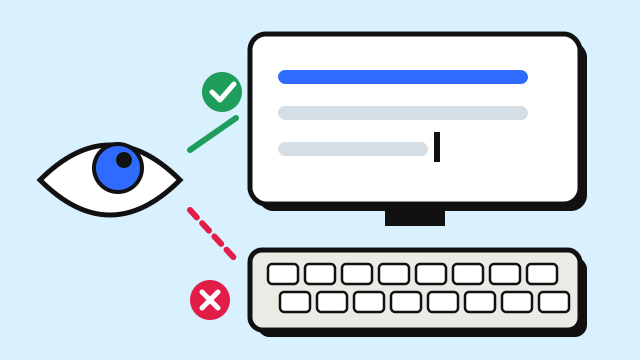
If you want to know how to stop looking at the keyboard when typing, the short version is this: give your eyes somewhere else to look, give your fingers a reliable way to find their place, and slow down enough that you can succeed without peeking. Looking down is a habit, and habits change through repetition, not willpower. This guide covers why the habit sticks, the techniques that break it, and a simple one-week plan.
Why you keep looking down
Most people look at the keyboard for one of three reasons:
- They don't know which finger goes where. If the right index finger is doing half the keyboard, your eyes have to guide it.
- They lose their place. After a long reach, the hand drifts, and the fastest way to recover is to look.
- They're trying to go too fast. Speed creates pressure, pressure creates mistakes, and mistakes make you check.
Each of these has a specific fix. The first is solved by learning the finger assignments. The second is solved by anchoring to the home row. The third is solved by slowing down.
How to stop looking at the keyboard: 7 techniques
1. Learn the finger for every key
You can't type blind if you don't know which finger should move. Every key on a QWERTY keyboard belongs to one finger. Keep the touch typing finger chart open in another window while you practice, and look at the chart instead of your hands.
2. Use the bumps on F and J
Almost every keyboard has small ridges on the F and J keys. Rest your left index finger on F and your right index finger on J, and the other fingers fall into place on A S D and K L ;. Whenever you feel lost, touch the bumps instead of looking down. This one habit fixes most "where am I?" moments.
3. Return home after every reach
Each finger should come back to its home key after pressing another key. If fingers wander, you lose your reference point. The home row keys guide covers this position in detail.
4. Look at an on-screen keyboard instead
Your eyes want reassurance. Give them a keyboard on the screen rather than the one under your hands. The EnjoyTyping typing lessons show a virtual keyboard with the next key highlighted and a hand guide that traces the finger path. Over time, you'll glance at it less and less.
5. Cover your hands
This sounds silly, but it works. Drape a light cloth or a towel over your hands and the keyboard, or place a box lid over them. Some people put small stickers over the key legends. When looking doesn't help, your brain stops asking for it. Use this during practice only, and remove it once the urge to look has faded.
6. Slow down until you stop peeking
Find the speed at which you can type without looking and with few mistakes, even if it's 10 WPM. Practice there. Speed that depends on looking isn't speed you can build on. Aim for about 95% accuracy, and only then nudge the pace up.
7. Don't fix mistakes by looking
When you make a mistake, use Backspace and retype without glancing down. Feel which key you hit instead of checking. Learning to feel errors is part of learning the keyboard.
The hardest keys to type without looking
Some keys are harder because they're far from home or used less often:
| Keys | Why they're tricky | What helps |
|---|---|---|
| B, N | Both are reached by index fingers moving diagonally; B is often hit with the right hand | Drill "bn nb ban nab" slowly with the correct fingers |
| Q, Z, P, / | Pinky and far corners | Short daily drills; keep the other fingers anchored |
| Number row | Two rows up from home | Reach with the correct finger, then return; use the lesson level for numbers |
| Symbols with Shift | Two hands at once | Use Shift on the opposite hand from the key |
Course 5: Numbers & Symbols is designed specifically for the keys most people still look for after letters feel easy.
A one-week plan
| Day | Practice (15–20 minutes) |
|---|---|
| 1 | Home row only, eyes on the screen. Touch F and J bumps whenever unsure |
| 2 | Home row plus top row, with an on-screen keyboard as your only reference |
| 3 | Add the bottom row. Try covering your hands for part of the session |
| 4 | Real words and short sentences, slowly, no looking at all |
| 5 | Review your most-missed keys; drill them in pairs |
| 6 | Capitals and punctuation with the opposite-hand Shift |
| 7 | Take a typing test without looking. Compare accuracy to your first day |
After the first week, keep one rule for all your everyday typing: when you need to find a key, look at the screen or a chart, not the keyboard. Your speed will drop for a while. That dip is expected, and it's temporary.
When looking is fine
There's no need to be absolute about it. Glancing at rarely used keys like function keys, Print Screen or media controls is normal, even for experienced touch typists. The goal is to type text, meaning letters, spaces, common punctuation and ideally numbers, without looking. That's where the speed and comfort gains are.
Frequently asked questions
How long does it take to stop looking at the keyboard?
With daily practice, many people can type letters without looking within a few weeks. Numbers and symbols often take longer. The guide on how long it takes to learn touch typing goes into the stages.
Is it bad to look at the keyboard while typing?
It isn't harmful, but it limits speed. Moving your eyes between the screen and keys costs time and makes it harder to catch mistakes as they happen.
Should I buy a blank keyboard to stop looking?
You can, but you don't have to. Covering your hands with a cloth during practice or putting stickers on the keys gives the same effect for free.
What if I keep hitting the wrong keys without looking?
Slow down and make sure each key is pressed by the assigned finger. Wrong keys usually come from fingers drifting off the home row, so re-anchor on F and J and keep your reaches short.