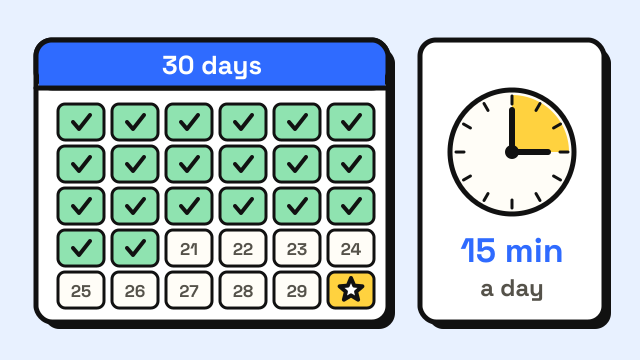
The best typing practice for adults is short, daily and structured: about 15–20 minutes a day, working through the keyboard one row at a time with high accuracy, a typing game for variety, and one typing test a week to measure progress. Below is a 30-day plan built that way, with what to do each week, how to fit it into a busy schedule and what results to expect by the end of the month.
Why practice typing as an adult?
Most adults learned to type by doing it, not by being taught. That often means looking at the keys, using a few fingers, or touch typing on some letters and searching for others. It works, but it tends to stall somewhere below the speed you could reach, and constant glances down break your train of thought.
Adults also have real advantages as learners. You can follow a plan, you already know the words you're typing, and you can notice your own bad habits. What adults usually lack is time, which is why the plan below uses short sessions rather than long ones.
How long should each practice session be?
Shorter than most people expect. A well-known study by Alan Baddeley and D. J. A. Longman trained UK postal workers to use a keyboard on four different schedules. The group that practiced for one hour once a day learned most efficiently per hour of training, and the group that did two 2-hour sessions a day learned least efficiently (Baddeley & Longman, 1978). The authors concluded that keyboard training should be spread out over time where possible.
You don't need a full hour. The 15–20 minutes a day used in this plan is a commonly recommended amount for self-paced learners, and it is short enough to keep up for a month. The key point from the research is the pattern: a little every day beats a lot once a week.
Before you start: find your baseline
Take one 1-minute typing test on day 1 and write down two numbers: your WPM and your accuracy. Don't practice for it or retake it until you get a better score. The point is an honest starting line.
Then take the 30-second placement test on the typing lessons page. It recommends which course to start with based on your speed and accuracy. If it suggests the home row, start there even if it feels basic. Many adult typists find gaps in keys they thought they knew.
For reference, the commonly quoted average for adults is around 40 WPM, and a large study of volunteers on an online test found an average of about 52 WPM (Dhakal et al., 2018). Our guide to average typing speed covers what those numbers mean.
The 30-day typing plan at a glance
| Days | Focus | Daily routine (15–20 min) | Goal before moving on |
|---|---|---|---|
| 1–7 | Home row and finger positions | 12 min lessons, 3–5 min game | 95% accuracy, about 10 WPM |
| 8–14 | Top row | 12 min lessons, 3–5 min game | 95% accuracy, about 15 WPM |
| 15–21 | Bottom row, capitals and punctuation | 12 min lessons, 5 min game | 95% accuracy, about 20–25 WPM |
| 22–28 | Numbers, symbols and real text | 10 min lessons, 5–10 min game or long test | 93–95% accuracy, steady rhythm |
| 29–30 | Measure and plan the next month | Tests and a review of weak keys | Compare with day 1 |
The targets in the last column match the pass marks of the lesson courses on this site. If you start with a later course because of your placement result, shift the plan forward and spend the extra days on speed drills.
Week 1: home row and finger positions
Spend the first week on the eight home row keys, ASDF and JKL;, plus G and H. Learn where each finger rests and which keys it owns. The touch typing finger chart and the home row keys guide show the layout in detail.
Two rules matter more than anything else this week:
- Don't look down. If you need help, look at the on-screen finger guide, not your hands.
- Accuracy first. Slow down until you reach about 95% accuracy. Speed comes later.
Expect to feel slower than you are with your old method. That dip is normal and usually passes within a few weeks.
Week 2: the top row
Add QWERTYUIOP. Each finger reaches up from its home key and comes back. Keep the same daily split: about 12 minutes of lessons, then a few minutes of a game to finish the session on something lighter.
Good games for this stage use short, simple words. The Monster Typing Game works well here, and its Daily Monster gives you one reason to come back each day. If you keep glancing at the keys, the guide on how to stop looking at the keyboard has practical fixes.
Week 3: bottom row, capitals and punctuation
Finish the letters with ZXCVBNM and the comma and period, then move on to Shift, capitals and punctuation. This is where everyday sentences start to feel natural, because you can type full emails without switching back to your old habits.
From here, try to touch type during real work too, not only during practice. If a deadline is close, it's fine to fall back on your old method, but switch over a bit more each day.
Week 4: numbers, symbols and real text
Week four covers the number row and common symbols, which take longer for most people because they're farther from the home row. See how to type numbers faster for the finger assignments.
Shorten the lessons slightly and spend more time on real text:
- Typing Challenge uses lines from classic books that speed up every 30 seconds, which is good practice for longer passages with punctuation.
- Typing Race turns your WPM into running speed, useful once you can type without looking.
- A 3-minute typing test once or twice this week builds stamina for longer text.
Days 29–30: measure your progress
On day 29, take the same 1-minute test you took on day 1. Take it three times and average the results, since a single test can swing several WPM either way. On day 30, look at the keys the test marks as your most missed and plan the next month around them.
Don't judge the month only by WPM. Many adults who switch to touch typing finish the first month at about their old speed, or a little below it, but with better accuracy and no need to look down. That is a good result, because speed keeps building after that with ordinary daily use. Our guide on how long it takes to learn touch typing explains the stages.
How to fit typing practice into a busy day
- Attach it to a habit. Practice right after your morning coffee or before you open your email.
- Split it if needed. Two 10-minute sessions work as well as one 20-minute session.
- Keep a simple log. Write the date, the lesson and your accuracy. Seeing a streak helps you keep it.
- Set up your desk once. A comfortable chair height and screen position make practice less tiring. The typing posture guide covers the basics.
- Skip days without guilt. Missing one day doesn't undo anything. Missing a week usually means repeating a few lessons.
What to do after 30 days
Once all the letters, numbers and symbols feel familiar, move to the speed drills course and use the tips in how to type faster. Keep one weekly test as your measurement. If you need proof of your speed for a job application, the 5-minute typing test lets you download a free typing certificate with your WPM and accuracy.
Frequently asked questions
Is it too late to learn touch typing as an adult?
No. Adults learn touch typing all the time, and the original research on spacing keyboard practice was done with adult postal workers. Expect a few weeks of slower typing while the new habit forms.
How many minutes a day should an adult practice typing?
About 15–20 minutes a day is a common and realistic target. Daily short sessions tend to work better than one long session a week.
Will I be faster after 30 days?
Maybe, but not always. If you already typed quickly with your own method, the first month is often about matching your old speed with better accuracy. Speed gains usually come in the following months.
Are typing games good practice for adults?
Yes, as part of a routine. Use lessons to learn the keys correctly and games to add variety and pressure. Games alone can reinforce old habits if you still look at the keyboard.
Sources
- Baddeley, A. D., & Longman, D. J. A. (1978). The influence of length and frequency of training session on the rate of learning to type. Ergonomics, 21(8), 627–635.
- Dhakal, V., Feit, A. M., Kristensson, P. O., & Oulasvirta, A. (2018). Observations on Typing from 136 Million Keystrokes. Proceedings of CHI 2018.