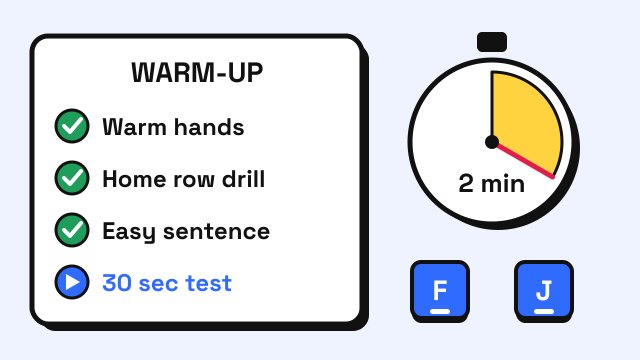
A good typing warm-up takes about two minutes: get your hands warm, type a few home row drills slowly, type one easy sentence at a relaxed pace, then take a short practice test before the one that counts. The goal is not to tire your fingers out but to get them back on the right keys and settle into a steady rhythm. Your first minute of typing after a break is often your sloppiest, and a short warm-up moves those mistakes out of the test that matters. Below is a simple routine, why it works, and what to avoid.
Why warm up before a typing test?
Typing is a motor skill, and motor skills dip a little after a rest. Researchers call this warm-up decrement: a short-lived drop in performance at the start of a session, even when the skill itself has not been forgotten. It was described in motor learning research decades ago (Adams, 1961) and shows up in tasks from sports to tracking games. The skill comes back within a few attempts. A warm-up simply spends those attempts on practice instead of on your test.
Two other things often go wrong in the first minute:
- Cold hands. Cold fingers are stiffer and less precise. A widely cited review of hand function in the cold gives a local skin temperature of about 15°C (59°F) as a minimum for normal hand function (Heus, Daanen and Havenith, 1995). A normal room will not get you near that, but a cold commute or an air-conditioned test room can make your fingers feel clumsy for a few minutes.
- Nerves and rushing. Under pressure most people speed up, lose their rhythm and start missing keys. A warm-up gives you a moment to find a pace you can hold.
The 2-minute typing warm-up routine
Do these steps in order, right before your test. If you are taking the test somewhere else, such as a job assessment, do the same routine on that keyboard if you can.
| Step | What to do | Time | What it fixes |
|---|---|---|---|
| 1. Warm hands | Rub your palms together, open and close your hands a few times | 15 sec | Cold, stiff fingers |
| 2. Find home | Rest on A S D F and J K L ;, feel the bumps on F and J | 5 sec | Fingers starting on the wrong keys |
| 3. Home row drill | Type asdf jkl; and fjfj dkdk slsl a;a; slowly, twice |
30 sec | Finger-to-key mapping |
| 4. Reach drill | Type ftf jyj ded kik and fvf jmj for top and bottom reaches |
20 sec | Missed reaches |
| 5. Easy sentence | Type one plain sentence at about 80% of your normal speed | 20 sec | Rhythm |
| 6. Practice test | One 30 second typing test at your normal pace | 30 sec | Test nerves |
That adds up to about two minutes. Then take a few breaths, read the first line of the real test, and start.
Step 1: Warm your hands
If your hands feel cold, warm them before you type: rub your palms together, hold a warm drink for a moment, or keep your hands in your pockets on the way in. A few gentle open-and-close movements loosen the fingers. You do not need a stretching routine, and you should never push a stretch to the point of discomfort.
Step 2: Find the home row
Every reach on the keyboard starts from the home row, so a hand that starts one key off makes errors on every word. Place your fingers on A S D F and J K L ;, check the raised bumps on F and J with your index fingers, and rest your thumbs on the space bar. The home row keys guide shows the position in detail.
Step 3: Home row drill
Type a few short home row patterns slowly and without looking down. Speed does not matter here; clean keystrokes do. If you want a ready-made drill, the first units of the home row lesson take about a minute each.
Step 4: Reach drill
Next, wake up the reaches to the top and bottom rows, which is where most typos come from. Patterns like ftf jyj (index fingers up), ded kik (middle fingers up) and fvf jmj (index fingers down) move each finger out and back home. If you are unsure which finger owns a key, check the touch typing finger chart.
Step 5: One easy sentence at 80%
Now type a normal sentence, slower than you usually would. A pangram works well because it touches every letter: "The quick brown fox jumps over the lazy dog." Focus on an even rhythm, with the same gap between every key. This is the pace you want to start your test at.
Step 6: A short practice test
Finish with one short test at your normal speed. The 30 second test is long enough to shake off nerves but short enough not to tire you. Do not worry about the score. If you made more errors than usual, slow down a little for the real test.
If you prefer something more playful, one round of the Typing Challenge does a similar job: it starts slowly and speeds up, so you go from easy to test pace in a minute or two.
What should you avoid in a warm-up?
- Going all out. A warm-up is not a speed run. Typing at maximum pace just before a test can leave you rushed and error-prone when the real one starts.
- Too many full tests. One or two short tests are enough. Taking five 3-minute tests before your real one can tire your hands and your focus.
- Changing your technique. The minutes before a test are not the time to try a new finger for a key or a new hand position. Use the habits you already have.
- Looking at the keys "just to be safe". If you look down during the warm-up, you will look down during the test. Keep your eyes on the screen. See how to stop looking at the keyboard if this is hard.
- Ignoring your setup. Check your chair height, screen position and wrist angle before you begin. The typing posture guide has a quick checklist.
How should you warm up on an unfamiliar keyboard?
Job tests and exams often happen on a keyboard you have never used. Different key spacing, key travel or a laptop layout can cost you a few WPM until your fingers adjust. If you can, spend your warm-up on that keyboard:
- Find where the Backspace, Enter and Shift keys sit. Their size and position vary more than the letter keys.
- Type the home row and reach drills a few times to get used to the key spacing.
- Type one sentence with capitals and punctuation, since Shift and the comma and period keys feel different from board to board.
If you think a key is unreliable, say so before the test starts. On your own computer you can check every key with the keyboard tester.
Does warming up improve your typing score?
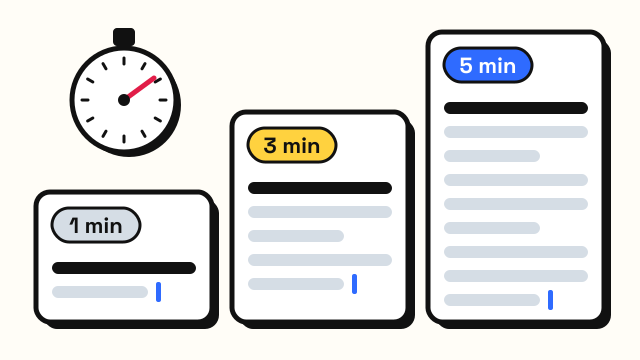
A warm-up does not make you faster than your real skill. What it does is help you reach your normal level from the first word instead of after the first minute. That matters most on short tests, where a slow start is a large share of the time. On a 1-minute test, a shaky first 15 seconds is a quarter of your result. On a 5 minute test, it matters less, but you still save yourself a few early errors that would lower your accuracy.
It also makes your results more consistent, which helps when you track your progress. If you always warm up the same way, a change in your score is more likely to reflect a change in skill. For a fair picture of your speed, take the 1 minute test three times after your warm-up and use the middle score. To raise the score itself, you need regular practice; see how to type faster and how to improve typing accuracy.
Frequently asked questions
How long should a typing warm-up be?
About two to five minutes is plenty. Long enough to type a few drills and one short test, short enough that you are not tired when the real test starts.
Should I take a practice test right before a typing test?
One short practice test is a good idea, because it gets nerves and early mistakes out of the way. Keep it short, like 30 seconds or 1 minute, and do not chase a high score.
Do finger stretches help you type faster?
There is little evidence that stretching makes anyone type faster. Warming cold hands and moving your fingers gently can make them feel less stiff, and typing a few easy drills is the more direct way to get ready.
What should I type to warm up?
Start with home row patterns, then reaches to the top and bottom rows, then one full sentence such as a pangram. The typing lessons have short units you can use for each part.
Sources
- Adams, J. A. (1961). The second facet of forgetting: A review of warmup decrement. Psychological Bulletin, 58(4), 257–273.
- Heus, R., Daanen, H. A. M. and Havenith, G. (1995). Physiological criteria for functioning of hands in the cold: a review. Applied Ergonomics, 26(1), 5–13.