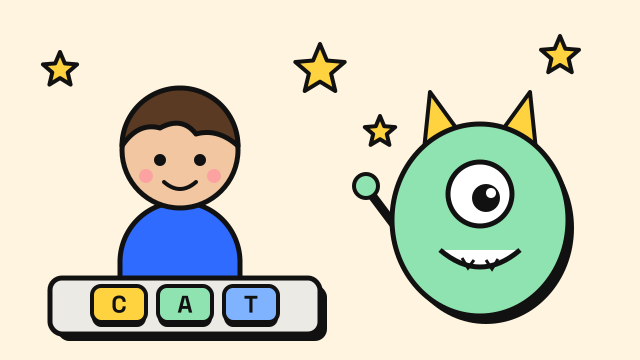
The best typing games for kids are short, forgiving and matched to the child's age: picture-and-word games for early readers, simple word-shooting games for children who know the letters, and racing or action games for older kids who already type with several fingers. Good ones give quick positive feedback, need no account, and keep the child's eyes on the screen rather than the keys. This guide explains what to look for, which of our free games fits which stage, and how parents and teachers can make practice stick.
What makes a typing game good for kids?
A game can be fun and still teach very little. These are the things worth checking before you hand one to a child.
- Matched to age and reading level. A child who is still learning to read needs pictures, sound and short words. A ten-year-old can handle sentences.
- Short rounds. Rounds of two to five minutes fit a child's attention and make it easy to stop on a win.
- Positive feedback. Stars, combos and cheerful sounds for correct letters work better than loud failure screens. A wrong key should be a small nudge to try again, not a punishment.
- Accuracy rewarded, not just speed. Kids naturally bash keys to go faster. Games that reset a combo or pause progress on mistakes teach them to slow down and get it right.
- No sign-up or chat. For younger children, a game that runs without an account or a public chat is simpler and safer. In the US, the Children's Online Privacy Protection Act (COPPA) requires sites that collect personal information from children under 13, such as a name, email address or username used for contact, to get verifiable parental consent first (FTC). Games that collect nothing avoid the issue entirely.
- Builds real technique. The best games sit alongside lessons that teach the home row keys and which finger presses each key. A game alone tends to reinforce whatever habit a child already has.
When should kids start typing practice?
There is no fixed age, but school expectations give a useful guide. The US Common Core writing standards expect students to type at least one page in a single sitting by grade 4, two pages by grade 5 and three pages by grade 6 (Common Core, W.4.6, W.5.6, W.6.6). That puts real keyboarding practice in the early elementary years for most children.
Before a child can read fluently, a little playful exploration of letters on the keyboard is enough. Once they can read short words, around the age many children start school typing, structured practice and games start to pay off. A child's hands also need to be big enough to rest on the home row comfortably, so very young children may do better with letter-finding games than with ten-finger technique.
Our free typing games, and what each one teaches
All of our typing games run in the browser, with no download and no account. The site is free and supported by ads, which are kept away from the typing area and game screens. Progress is saved in the browser on your own device.
| Game | Best for | What it teaches |
|---|---|---|
| Listen and Type | Early readers, about 5–8 | Spelling, letter positions, listening |
| Monster Typing Game | Beginners, about 7 and up | Whole words, accuracy through combos |
| Typing Challenge | Beginners to confident typists | Keeping pace, reading ahead |
| Typing Race | Confident typists, about 9 and up | Sustained typing of real sentences |
| Zombie Typing Game | Older kids and teens | Speed under pressure |
| Typing Fighting Game | Older kids and teens | Quick words, timing, sentences |
The ages are a rough guide based on reading level and theme, not a rule. Try a round together and see.
Listen and Type: spelling for early readers
A picture appears and the word is read aloud. The child types the word, sees each correct letter turn green, then types a short sentence using it. On Easy, every letter is shown faintly so a beginner can copy while learning where the keys are; Medium shows only the first letter, and Hard shows none. Sets are ten words long, and a set finished with high accuracy and no answers shown earns three stars. It also works on a tablet. It is the gentlest of the games.
Monster Typing Game: words and accuracy
Children type words to make a ninja punch, throw shurikens or cast spells at cartoon monsters. Easy mode uses short words with a relaxed timer, and it is the mode we recommend for kids. Each correct word builds a combo and one mistake resets it, so the game quietly teaches that careful typing beats rushing. A daily mode gives everyone the same words each day, which makes it easy for siblings or classmates to compare fairly.
Typing Challenge: a slow start that builds
Lines of text scroll up the screen and have to be typed before they reach a red line. The slowest starting speed is 15 WPM, which suits children who are just starting. The texts are sentences from classic books with capitals and punctuation, so it fits children who already read comfortably.
Typing Race: sustained typing
Each correct letter moves the runner forward, and a wrong letter stops them until it is deleted. Races use passages from public-domain classics, so this is better for older children who can read a paragraph and want to type for a minute or more. The slowest rival runs at 25 WPM, so it rewards children who already type steadily.
Zombie and Fighting games: for older kids
The Zombie Typing Game is set on a dark graveyard road and involves shooting zombies, and the Typing Fighting Game has a samurai fighting skeletons, goblins and a wizard boss. The themes and pace suit older kids and teens better than young children. Both have an Easy level built for slower typists, and they are a good reward once a child knows the keys.
Other well-known free options
We are not the only good choice. Typing.com offers a free, ad-supported K–12 keyboarding curriculum with a teacher portal, and its sister game Nitro Type lets students race each other online. The BBC's Dance Mat Typing is a long-running free introduction to touch typing for 7 to 11 year olds.
Tips for parents
- Start with posture and the home row. A minute spent on how to sit and where fingers rest saves bad habits later. Our typing posture guide works for kids too.
- Keep sessions short. Ten to fifteen minutes a day is plenty. Stop while it is still fun.
- Praise accuracy. Celebrate a clean round more than a fast one.
- Discourage looking down. It is the hardest habit to break later. The guide on how to stop looking at the keyboard has simple tricks.
- Mix lessons and games. A few minutes of typing lessons followed by a game round works well.
Tips for teachers
- Use the daily modes for fair comparisons. Daily Monster and the Daily Race give every student the same words on the same day.
- Avoid real names on leaderboards. Submitting to the leaderboards is optional and needs only a nickname, and we ask players not to use their real name.
- Set accuracy goals. For example, "three stars in Listen and Type" or "95% on the typing test".
- Plan for shared devices. Progress is stored in each browser, so students on shared computers should use the same machine and browser to keep their streaks.
Frequently asked questions
What is the best free typing game for a 6-year-old?
A game with pictures, sound and short words, such as Listen and Type on Easy, where every letter is shown so the child can copy while learning key positions.
Are typing games enough to learn touch typing?
Usually not on their own. Games are great for practice and motivation, but kids also need lessons that teach which finger presses each key. Use both.
Do kids need an account to play?
Not here. All the games and lessons run without sign-up. The only optional input is a nickname if a player chooses to submit a daily score.
How fast should a child type?
It varies widely with age and practice. Rather than chasing a number, focus on accuracy and using the right fingers. Speed follows. See average typing speed for broader ranges.
Sources
- US Federal Trade Commission. Complying with COPPA: Frequently Asked Questions.
- Common Core State Standards Initiative. English Language Arts Standards, Writing: Grade 4, Grade 5, Grade 6.
- Typing.com. Teach Typing For Free and Help Your Students Improve Their Typing Speed.
- BBC Bitesize. Dance Mat Typing for 7–11 year olds.