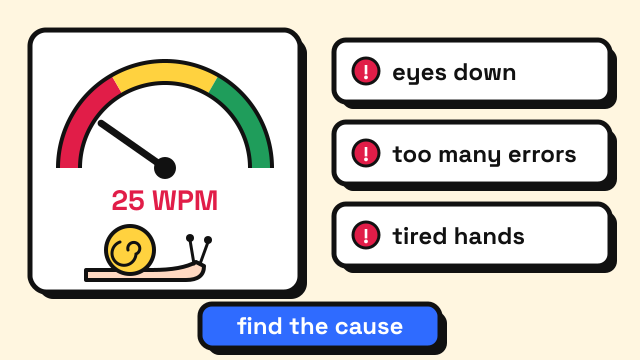
Typing is usually slow for one of a few reasons: you look down at the keys, you make mistakes and lose time fixing them, you press the same key with different fingers, or you have stopped practicing in a way that pushes you. If your typing has suddenly got worse, the cause is more often temporary: you are tired, you changed keyboard or layout, your posture slipped, or a key on the keyboard is failing. The fix starts with measuring your speed and accuracy fairly, then working on the one problem that costs you the most.
How slow is "slow"?
The largest public study of keyboard typing, which analysed 136 million keystrokes from about 168,000 volunteers, found an average of about 52 WPM (Dhakal et al., 2018). Everyday rules of thumb put the average adult closer to 40 WPM, and our guide on average typing speed explains why the two numbers differ.
| Your speed | What it usually means |
|---|---|
| Under 25 WPM | Still searching for keys; often typing with a few fingers while watching the keyboard |
| 25–40 WPM | Below average; usually one or two clear habits holding you back |
| 40–60 WPM | Around average; gains come from accuracy and consistency |
| 60 WPM and up | Above average; slow days are more likely about fatigue or the text |
These bands are a commonly used guide, not measured cut-offs. If you want to see where a number ranks, the typing speed percentiles guide puts it in context.
Why is my typing so slow? The common causes
1. You look at the keyboard
Every glance down means finding your place in the text again. In a motion-capture study of 30 everyday typists, untrained typists spent about twice as much time looking at their fingers as trained ones (Feit, Weir and Oulasvirta, 2016). Looking down also means you see your mistakes late, several letters after you made them. Our guide on how to stop looking at the keyboard has drills for breaking the habit.
2. You make too many mistakes
A wrong key costs much more than a slow one. You notice it, press Backspace, maybe delete correct letters after it, then retype. The 136 million keystroke study found that slower typists made more errors and took longer to find and fix them. If your accuracy is below 95%, more speed practice will not help much until that number comes up. See how to improve typing accuracy.
3. Your fingers don't have fixed jobs
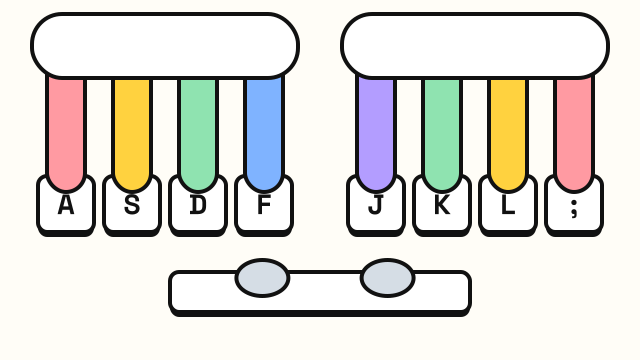
You don't need all ten fingers to type fast. The same 2016 study found that self-taught typists used about six fingers on average and reached similar speeds to people who took a course. What predicted speed was consistency: pressing each key with the same finger every time, preparing the next keystroke early and keeping hand movement small. If you hit E with a different finger depending on the word, your hand has two plans for one key and hesitates. The touch typing finger chart gives every key one owner.
4. You type letter by letter
Fast typists don't wait for one key to come up before pressing the next. The 2018 study found fast typists used "rollover", pressing the next key before releasing the previous one, on 40–70% of their keystrokes, whether or not they touch typed. That only works for letter combinations your fingers know well, which is why practicing real words and sentences helps more than random letters once you know the keys.
5. You stopped stretching yourself
If you type every day but your speed hasn't moved in months, you may have settled into a comfortable pace. Daily typing keeps you at the speed you already have; it doesn't push you past it. Short, focused practice slightly above your comfortable speed is what moves the number. Our guide on how to type faster lays out that cycle.
Why is my typing getting worse?
A sudden drop usually has a cause you can find. Work through these in order.
| What changed | What you notice | What to do |
|---|---|---|
| You are tired or rushed | Errors climb toward the end of a session | Shorter sessions; test when fresh |
| New keyboard | Missed or doubled keys, reaches feel off | Give it a week; re-run the home row lesson |
| New layout (Dvorak, Colemak, another language) | Big speed drop on both layouts | Expected for weeks; practice one layout at a time |
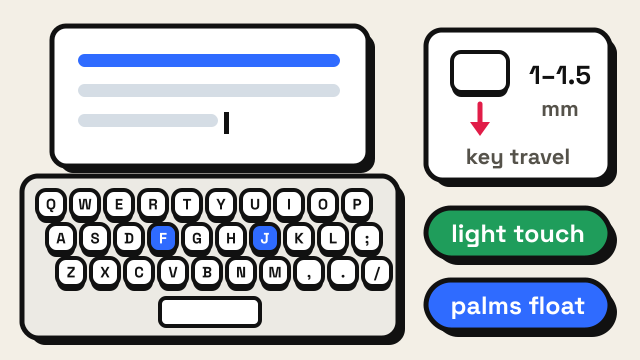
| Laptop instead of desktop, or the reverse | Wrist angle and key travel feel different | Check your posture and keyboard height |
| A failing key or switch | One letter is missing, doubled or late | Test the keyboard itself |
| Different test or text | Lower score, same feel | Compare results only on the same test length |
Fatigue and time of day
Most people type worse when they are tired or distracted. Lower evening scores are not lost skill. Compare results taken at the same time of day, and stop practicing once errors pile up.
A new keyboard or laptop
Key size, travel and spacing all change where your fingers land, and compact boards move keys like Backspace and the arrows (keyboard sizes explained). Expect a short adjustment period; the home row lesson retrains your hand positions quickly.
A new keyboard layout
Switching to Dvorak or Colemak almost always makes you slower for a while, often much slower than on QWERTY, and switching back and forth can blur both. The QWERTY vs Dvorak vs Colemak guide covers what to expect.
Posture
Slumping or a keyboard set too high bends your wrists and makes reaches less accurate. Check the basics in our typing posture guide.
The keyboard itself
If one specific letter keeps going missing or appears twice, the problem may not be you. Open the keyboard tester and press every key; it lights up each one as it registers. A key that fails to light up, or seems to register twice, needs cleaning or repair. Our guide on keyboard keys not working walks through fixes, and keyboard ghosting explains why some key combinations drop presses.
How to measure your typing speed fairly
A single test tells you little. Scores vary with the text, your focus and how warmed up you are.
- Take three tests in a row on the 1 minute typing test and keep the middle score, for both WPM and accuracy.
- Use the same test length when you compare. A 3 minute test gives fatigue and hard words more time to show, so its score is not directly comparable with a 1 minute one.
- Warm up first. A couple of minutes of easy typing makes your first result less of an outlier; see typing warm-up exercises.
- Look at the keys you missed. The results screen lists your most-missed keys, which points to the row or finger to practice.
- Track it weekly, not daily. Day-to-day changes are mostly noise.
Then practice the weak row in the typing lessons and retest after a week. If you're an adult starting from scratch, the 30-day typing practice plan gives you a schedule.
Frequently asked questions
Why is my typing slow even though I type every day?
Daily typing keeps you at your current speed but rarely raises it. Most people plateau because of one habit, usually looking at the keys or using different fingers for the same key. Short, focused practice on that habit moves the number more than extra hours of normal typing.
Is it normal for typing speed to drop on some days?
Yes. Tiredness, stress, a cold room or a harder text can all lower a score. Compare results on the same test length at the same time of day, and look at your weekly trend instead of single tests.
Why did my typing get worse after switching keyboards?
Different key spacing, key travel and layout change where your fingers land. Most people adjust within days to a couple of weeks. If one key keeps failing, check it in a keyboard tester.
Do I need to learn touch typing to type faster?
Not strictly. Research found self-taught typists using about six fingers can match trained typists. What matters is that each key always has the same finger and that you keep your eyes on the screen, which is what touch typing teaches. See hunt and peck vs touch typing.
Sources
- Dhakal, V., Feit, A. M., Kristensson, P. O. and Oulasvirta, A. (2018). Observations on Typing from 136 Million Keystrokes. Proceedings of the 2018 CHI Conference on Human Factors in Computing Systems.
- Feit, A. M., Weir, D. and Oulasvirta, A. (2016). How We Type: Movement Strategies and Performance in Everyday Typing. Proceedings of the 2016 CHI Conference on Human Factors in Computing Systems.
- Aalto University (2016). Ten fingers not needed for fast typing.